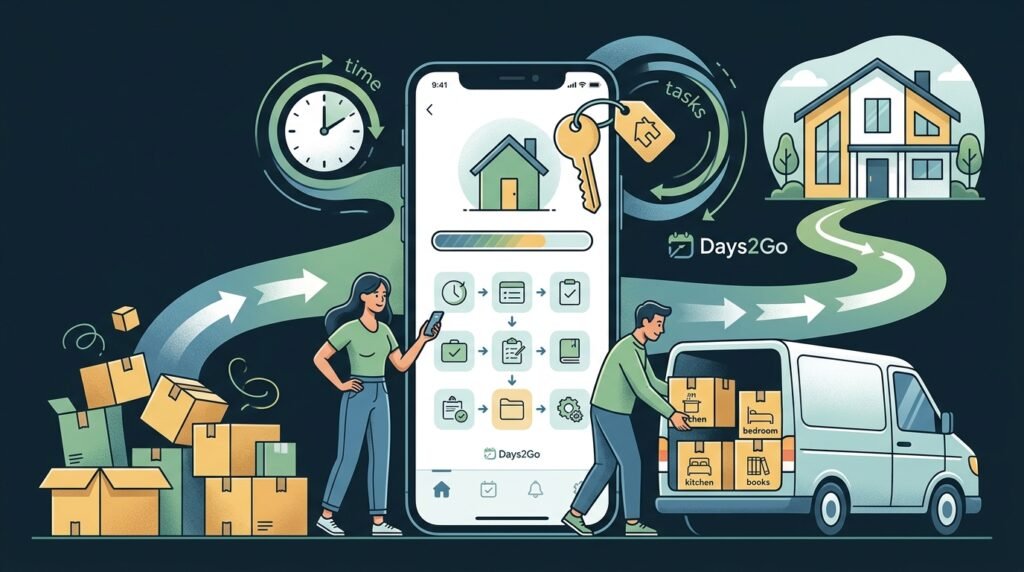
Moving house is exciting, but it can also feel like a long list of loose ends. You have boxes to pack, utilities to switch, paperwork to finish, keys to collect, cleaners to book, and people to update. The challenge is not just remembering the final moving date. It is staying aware of how quickly that date is approaching.
That is where a house move countdown app can help. Instead of treating moving day as a vague future event, Days2Go turns it into a visible countdown you can check at a glance. Seeing that there are 42 days, 21 days, or 3 days to go changes how you plan. It makes the move feel real early enough to act, but simple enough not to overwhelm you.
This guide explains how to use a house move countdown app to plan a smoother move, what to count down to, and how to make the final few weeks easier for everyone involved.
Why a house move countdown works so well
A house move has one fixed point that everything else depends on: moving day. Whether you are buying, renting, relocating for work, moving in with a partner, or moving to a bigger family home, the final date creates urgency.
The problem is that most moving tasks do not feel urgent until they suddenly are. You might know you need to declutter, compare removal quotes, redirect post, or pack the loft, but without a visible countdown, those jobs can drift.
A countdown changes the question from what should I do sometime soon to what needs to happen before there are only two weeks left.
A house move countdown app helps you:
- Keep the moving date visible every day
- Break the move into stages instead of one stressful deadline
- Share the sense of timing with your household
- Avoid leaving practical jobs until the last weekend
- Make progress feel measurable
- Stay motivated when packing feels endless
Days2Go is especially useful when you want a simple countdown rather than a complicated project management system. Moving already creates enough admin. Your countdown should make the date clearer, not add another tool you have to manage.
If you are looking for a broader way to track birthdays, trips, appointments, and other important dates too, our guide to using a countdown reminder app for important days explains how countdowns can keep all kinds of events on your radar.
What to track in a house move countdown app
The obvious countdown is your main moving day. That is the date when the van arrives, the keys are handed over, or you sleep in the new place for the first time.
But you can make your move even easier by creating a few supporting countdowns around it. For example:
- 60 days to moving day: start decluttering and sorting storage spaces
- 45 days to moving day: get removal company quotes
- 30 days to moving day: begin packing non-essential items
- 21 days to moving day: confirm utilities, broadband, and insurance changes
- 14 days to moving day: update addresses and redirect post
- 7 days to moving day: pack daily essentials and clean room by room
- 1 day to moving day: prepare keys, documents, chargers, snacks, and overnight bags
You do not need to track every tiny task as a separate countdown. The goal is to create enough visibility that you know which stage of the move you are in. When the app says 30 days to go, it is a prompt to move from planning into packing. When it says 7 days to go, it is a reminder to focus on essentials rather than big decisions.
How to use Days2Go for your house move countdown
A good house move countdown app should be easy to set up in under a minute. With Days2Go, you can create a countdown for your moving date and give it a clear name such as Moving Day, New House Day, Keys Day, or Move to Manchester.
Here is a simple setup you can use:
- Add your confirmed moving date as the main countdown.
- Name it in a way that feels motivating, not stressful.
- Check it regularly during the run-up to the move.
- Add a small number of related countdowns if they help you stay organised.
- Use the number of days left to decide what kind of task belongs in the current week.
The key is to keep the countdown visible enough that it guides your decisions. If there are 50 days left, you have time to compare options and declutter properly. If there are 10 days left, your focus should be on packing, confirmations, cleaning, and essentials.
For a more task-by-task moving timeline, you may also find our related article on using a moving countdown app to plan your move one day at a time helpful. This house move guide focuses on using the countdown as the central anchor for the whole household.
A practical house move countdown timeline
Every move is different, but this timeline gives you a realistic structure to follow.
8 weeks before moving day
Start by reducing the amount you need to move. Declutter cupboards, wardrobes, sheds, lofts, garages, and spare rooms. The earlier you do this, the less you will pay to transport things you no longer want.
Use your house move countdown as a reminder that the move is no longer distant. At this stage, you can still make thoughtful decisions instead of rushing.
Tasks to consider:
- Donate, sell, recycle, or dispose of unwanted items
- Research removal companies or van hire
- Start a moving folder for documents and receipts
- Check notice periods if you rent
- Make a list of address changes you will need to make
6 weeks before moving day
This is the right time to start turning decisions into bookings. If you need movers, storage, cleaners, pet care, childcare, or time off work, confirm it now.
Tasks to consider:
- Book your removal company or van
- Measure large furniture for the new property
- Order packing supplies
- Tell close family or friends the confirmed date
- Check school, nursery, or work arrangements if relevant
If moving costs are landing around payday, it can also help to track your next income date. Our article on using a payday countdown app for easier paycheck planning is useful if you want to line up deposits, removals, and final bills with your budget.
4 weeks before moving day
At one month out, your house move countdown becomes much more powerful. Seeing 28 days to go creates a useful sense of urgency without panic.
Tasks to consider:
- Pack books, seasonal clothes, decorations, and rarely used items
- Arrange mail redirection
- Contact utility providers
- Update insurance where needed
- Start using up freezer and pantry items
- Label boxes by room, not just by contents
This is also a good moment to make a first-night box. Include toiletries, medication, chargers, kettle, mugs, basic tools, cleaning cloths, bin bags, pet food, and anything children may need for bedtime.
2 weeks before moving day
Now the countdown is close enough that every day matters. Avoid starting huge new projects unless they are essential. Focus on confirmation, packing, and reducing uncertainty.
Tasks to consider:
- Confirm arrival times with movers or helpers
- Pack most non-daily items
- Take photos of meter readings if applicable
- Back up important digital documents
- Confirm key collection or handover details
- Prepare a simple moving day plan
At this stage, your countdown is not just functional. It can also be emotional. The old house may feel more precious as the days disappear. A visible countdown gives everyone in the household time to process the change.
1 week before moving day
The final week should be about essentials. Your house move countdown app will make the deadline impossible to ignore, which is useful if you are tempted to delay the last few awkward jobs.
Tasks to consider:
- Finish packing except for daily-use items
- Clean as rooms become empty
- Keep documents, keys, and valuables separate
- Prepare food and drinks for moving day
- Charge phones and power banks
- Pack overnight bags for everyone
- Check parking or access for the moving vehicle
This is the week where simplicity matters most. Do not overload your countdown app with dozens of new dates. Let the main moving day countdown keep you focused.
What makes a good house move countdown app?
When choosing a house move countdown app, look for something simple, clear, and quick to use. Moving already involves enough complexity. You should not need a tool that feels like a spreadsheet, a shared corporate dashboard, or a full productivity system.
A good app should help you answer one question instantly: how many days are left?
Useful qualities include:
- Fast countdown creation
- Clear event names
- A simple display of days remaining
- Support for multiple important dates
- A low-friction design you will actually keep using
If you have tried overly complex counters before and want something more straightforward, our guide to choosing a simpler day counter alternative can help you decide what matters.
Make moving day feel closer without making it scarier
A countdown does not pack boxes for you, but it changes your relationship with time. It helps you notice the move before it becomes urgent. It gives your household a shared reference point. It can even make the exciting parts feel more real: the first night, the new keys, the fresh start.
With Days2Go, your house move countdown stays simple. Add the date, give it a name, and let the number of days remaining guide your planning. Whether you are moving across town or starting again somewhere completely new, a clear countdown can turn a stressful deadline into a manageable journey.
Moving house is a big life moment. Count it down clearly, one day at a time.
Frequently asked questions
What is a house move countdown app?
A house move countdown app is an app that shows how many days are left until your moving date. It helps you keep moving day visible so you can plan packing, bookings, address changes, and final checks at the right time.
How far in advance should I start a moving countdown?
Start as soon as you have a likely or confirmed moving date. Many people benefit from starting 6 to 8 weeks before moving day, but even a countdown with 2 weeks left can help you prioritise the final tasks.
Can I use Days2Go for more than one moving-related date?
Yes. You can use Days2Go for your main moving day and add other important dates if helpful, such as key collection, removal company arrival, lease end date, or the day utilities switch over.
Is a countdown app better than a moving checklist?
They do different jobs. A checklist tells you what needs doing, while a countdown app keeps the deadline visible. For a house move, using both can work well: the countdown creates urgency and the checklist captures tasks.